The carry over wizard will calculate the number of days holiday that were not taken from the previous years allowance for each employee, you can carry them over to the current year and cap them if required.
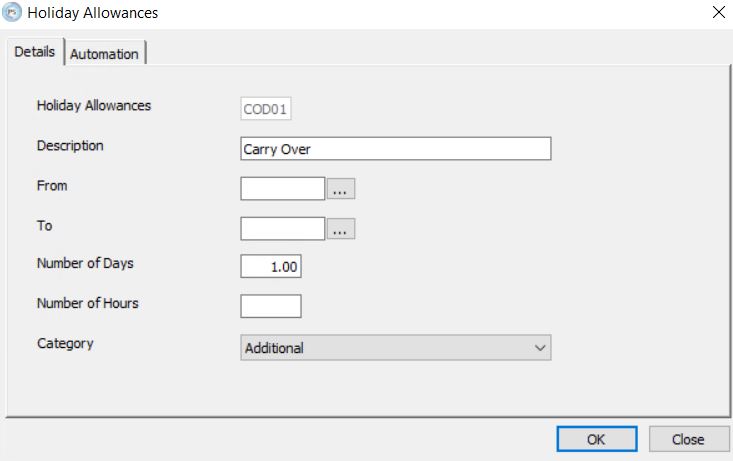
A holiday allowance must first be set up for you to assign the carry over days. This can be done in Personnel > Definitions > Terms and Conditions > Holiday Allowances. Set a code and relevant description, leave dates blank and assign one day to the allowance. The system will be assigning the number of days per employee, depending on the balance remaining when the wizard is run.You can also set the carry over category as additional.
Then run the carry over wizard under Personnel > Functions > Utilities > Holiday Carry Over and follow the below steps:
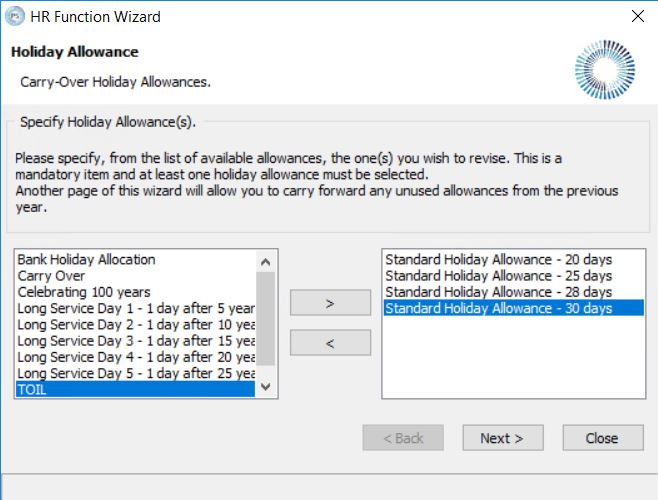
Step 1: Select each of the holiday allowances that are to be analysed for untaken holidays. Click Next.
Step 2: Enter the date of the previous holiday year, (this is the year that is to be analysed for untaken holidays). Click Next.

Step 3: Select the carry over allowance that you created so that any unused days can be shown with a description of carry over. Click Next.

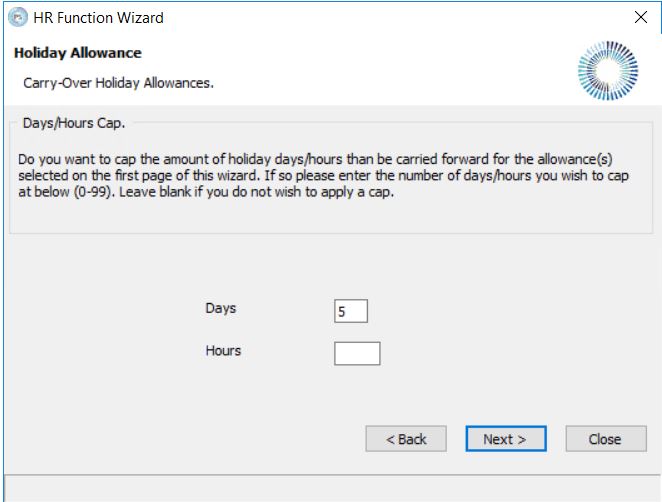
Step 4: Set the cap. This is the maximum number of days / hours that can be carried over. Leave blank to allow employees to carry over all untaken holidays. Click Next.
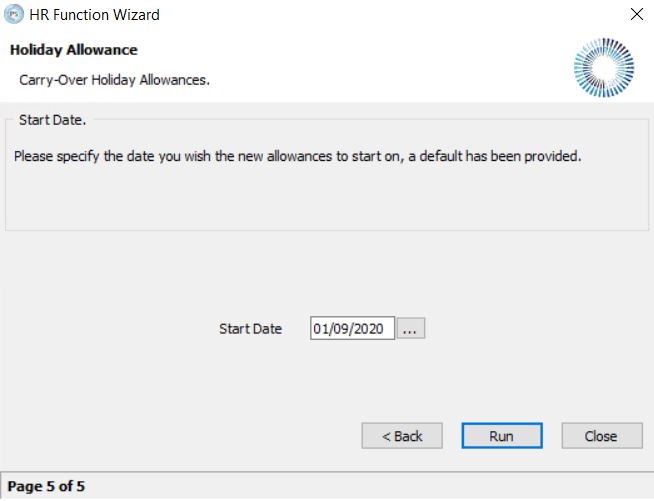
Step 5: Enter the date of the new holiday year, (this is the start of the year in which the carried over days are to be used) Click Run. Confirm that you want to continue with the process.