
Candidate Capture
This is used to select a different set of application forms on the I Frame, for example teaching and support forms. Please note the default set of forms will be chosen as standard, unless specified within the candidate capture section.
To select alternative forms to the default version via Candidate Capture:
Recruitment > Vacancy Workbench > Select the Vacancy > Click Edit > Select Candidate Capture section
- Open the Recruitment module.
- Edit a vacancy that you want to change the forms that are displayed on the I Frame.
- Scroll down to Candidate Capture
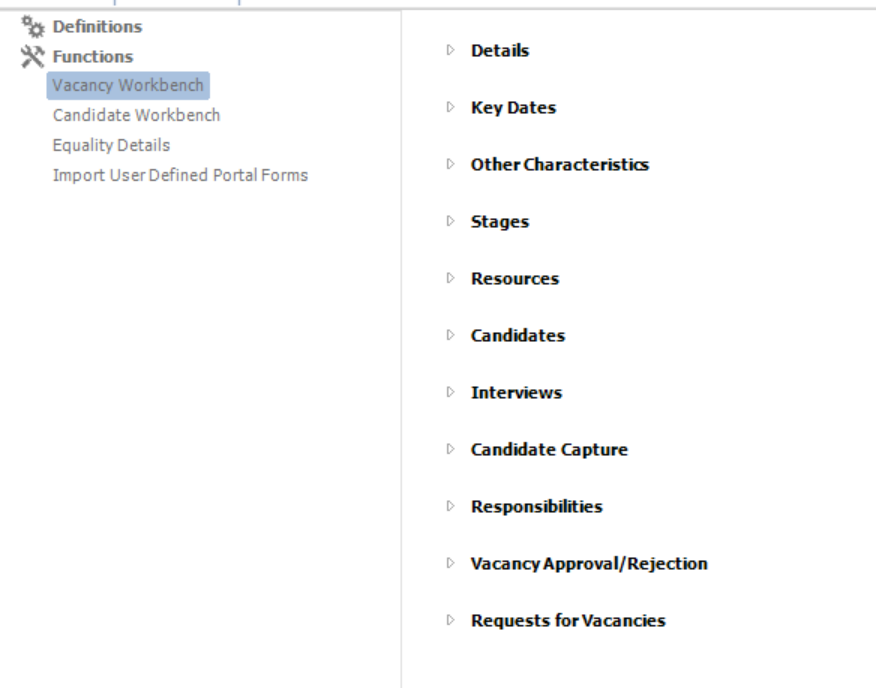
4. Click the arrow to open Candidate Capture. If no forms are selected, they will point to the default configuration if applied.
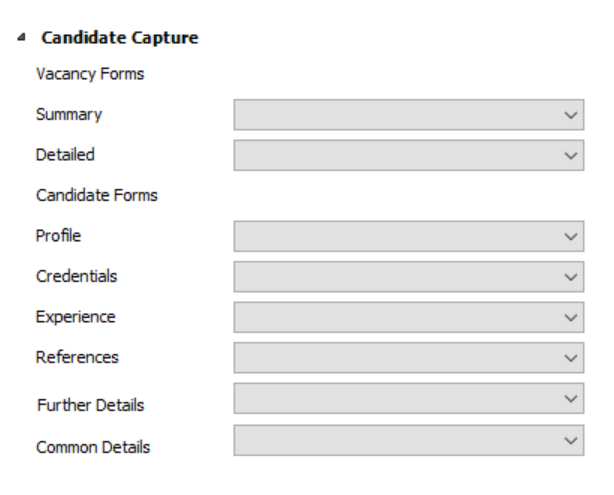
5. Change the drop down menus to display the forms you want to display for the vacancy. The Vacancy Forms provide a summary and details section on the job advert, which is displayed on the I Frame. The Candidate Forms will have a corresponding tab on the online application forms. All can be deselected by using the arrow selector. This removes them from the online application form.
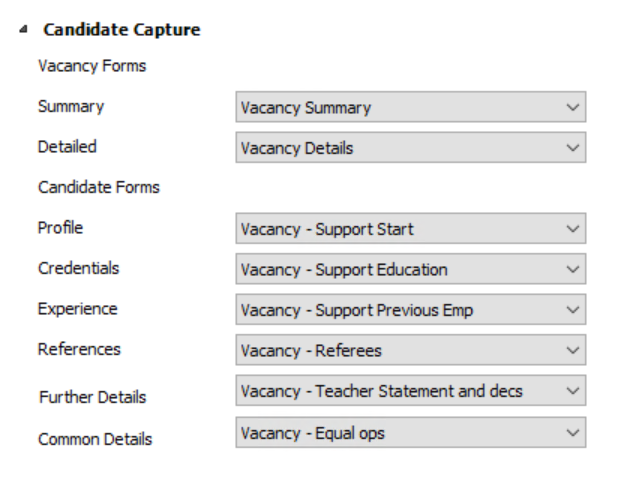
6. Now click save. The vacancy on the I Frame will now display the alternative forms.