Other Features of the Application Form
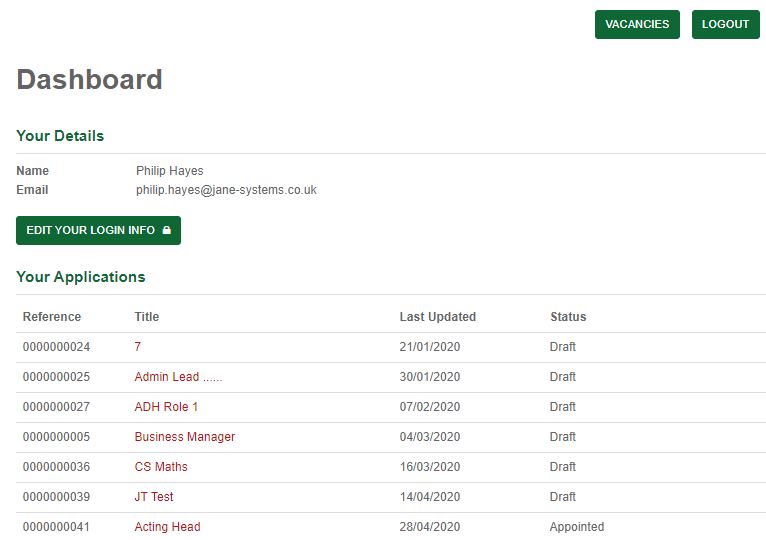
Candidate Dashboard
Partially completed, draft and submitted applications applications can a accessed through the Candidate Dashboard.
A Status of application is provided to the Candidate.
Submitting the Application
Once all the tabs on the form have been completed, the click the Submit Application button.
The Candidate will be advised if there are any errors with the forms, with a message for correction presented on screen.
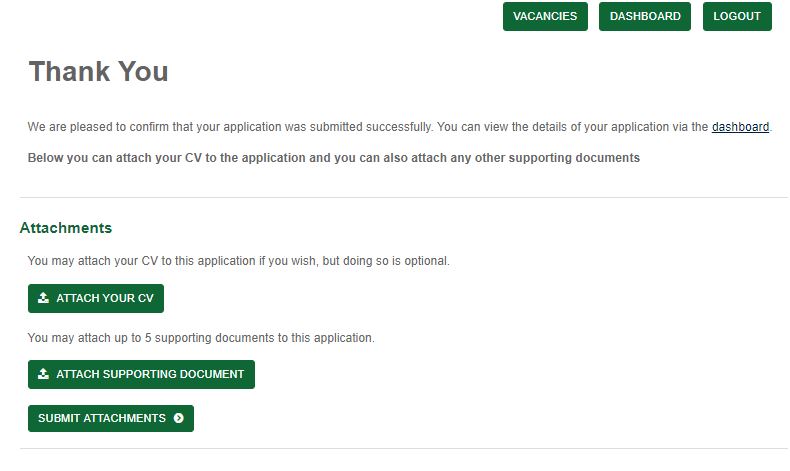
A Thank You message is presented to the Candidate which confirms successful submission of the application form.
A workflow will also be triggered at this point.
Attachments
Candidates can attach CV’s and Supporting documents to supplement their application using the below import and submission functionality. Any attachments added will be passed back into the Windows Application and the HR Portal for consideration.