HR Portal – Managing Candidates
The following functionality is available when managing Candidates within the Portal. Select the row to activate functionality.

Notes
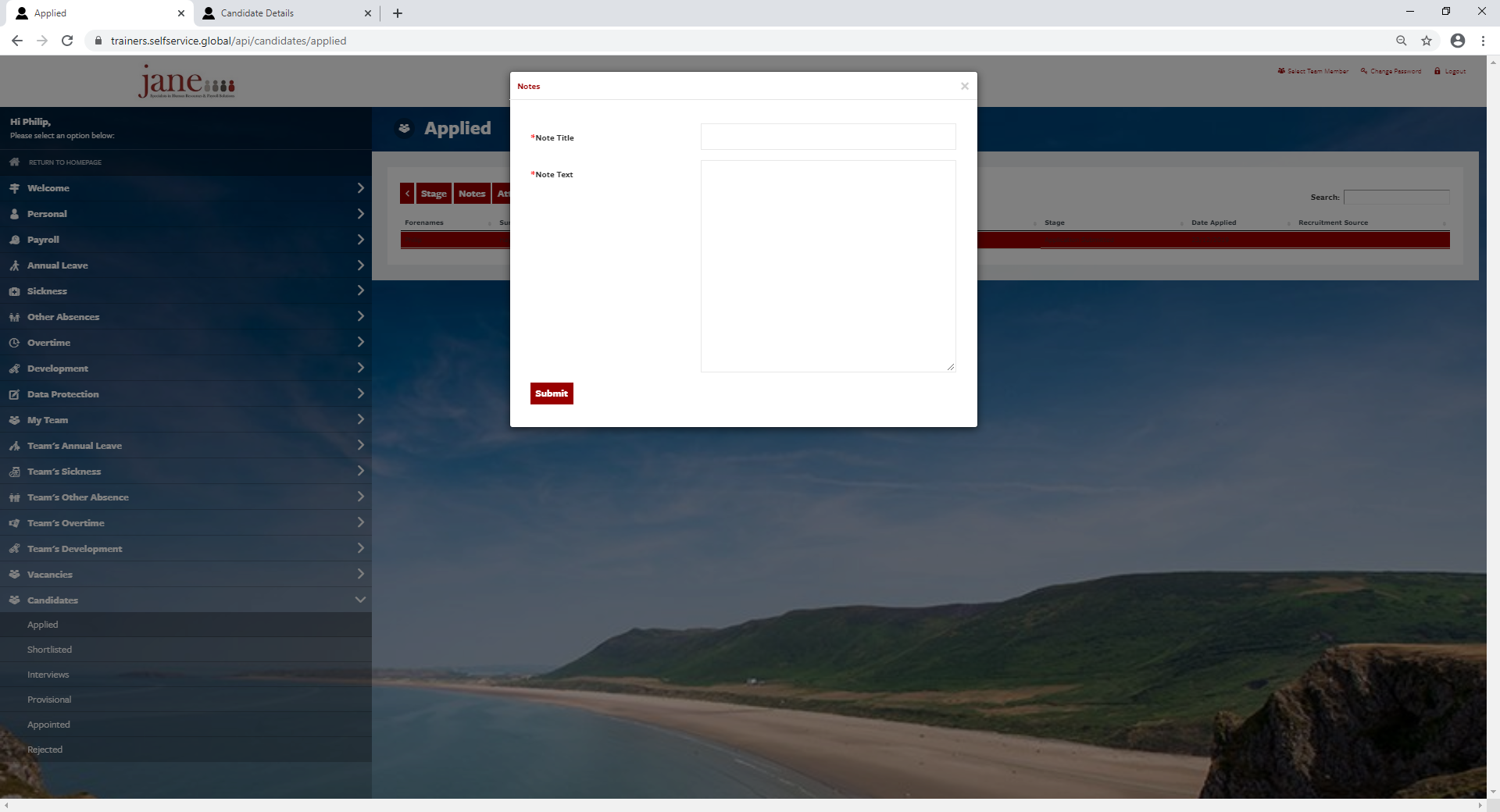
A free format text area is available, and can be used to add any information relating to the Candidate. This information is not visible to the Candidate.
Select the Candidate > Notes
Attachments
Select the Candidate > Attachments > View or Add New Files to attach documents to the Candidate record.

Candidate Details PDF
A Candidate Details Summary PDF is available for use within the shortlisting and interview stages example as below.
Select the Candidate > Details
A PDF is presented which can be printed off.
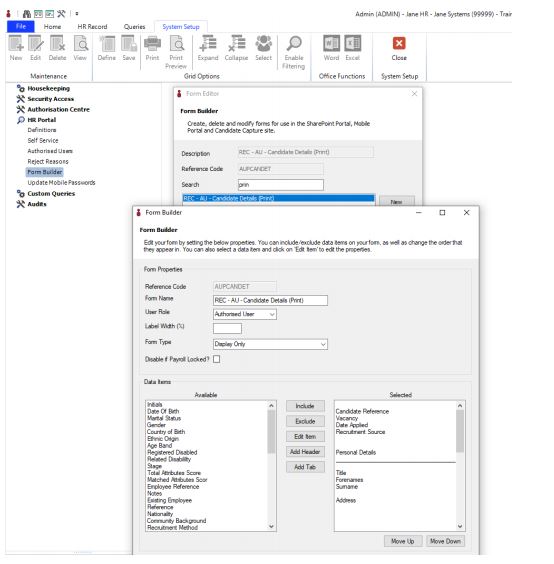
The details present on the Candidate Summary PDF are configurable and can be amended using Form Builder.
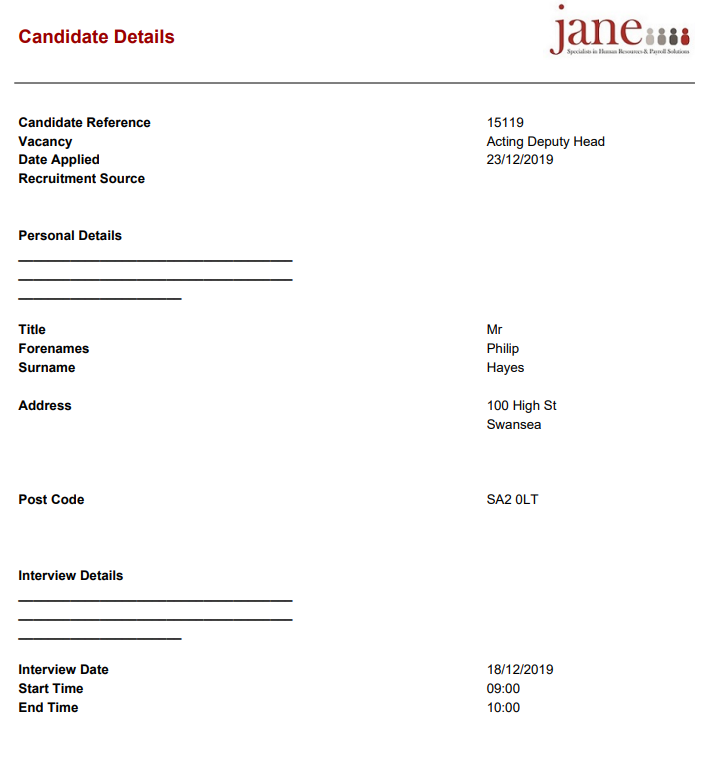
The details present on the Candidate Summary PDF are configurable and can be changed to fit your requirements during the configuration period of your implementation. Change to the layout after signoff may incur an additional charge.
You can change which fields are included yourself by selecting:
System Setup > HR Portal > Form Builder > Form Name
Move desired fields over from Available to Selected.
Use the Include and Exclude buttons to move Available fields over to and from the Selected section.
The fields can be repositioned using the Move Up and Move Down buttons: